
[email protected]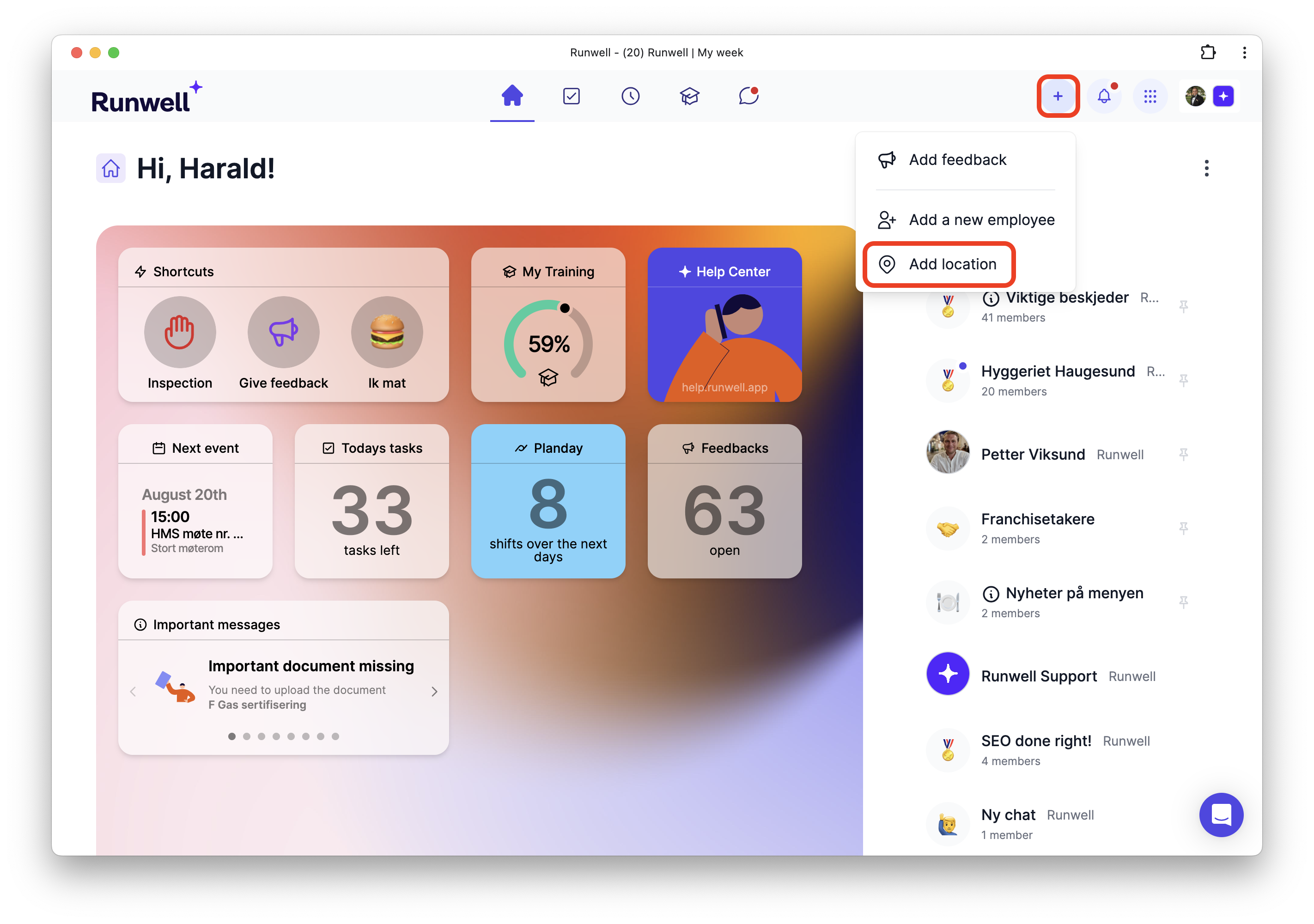
Add More Locations
Do you have more than one place? Here’s how to add multiple locations.
You’ll need Workspace Owner access to complete this guide.
With Runwell, it’s easy to keep track across multiple locations.
Simply click Add location, fill in the details requested, and voilà — your new location is ready.

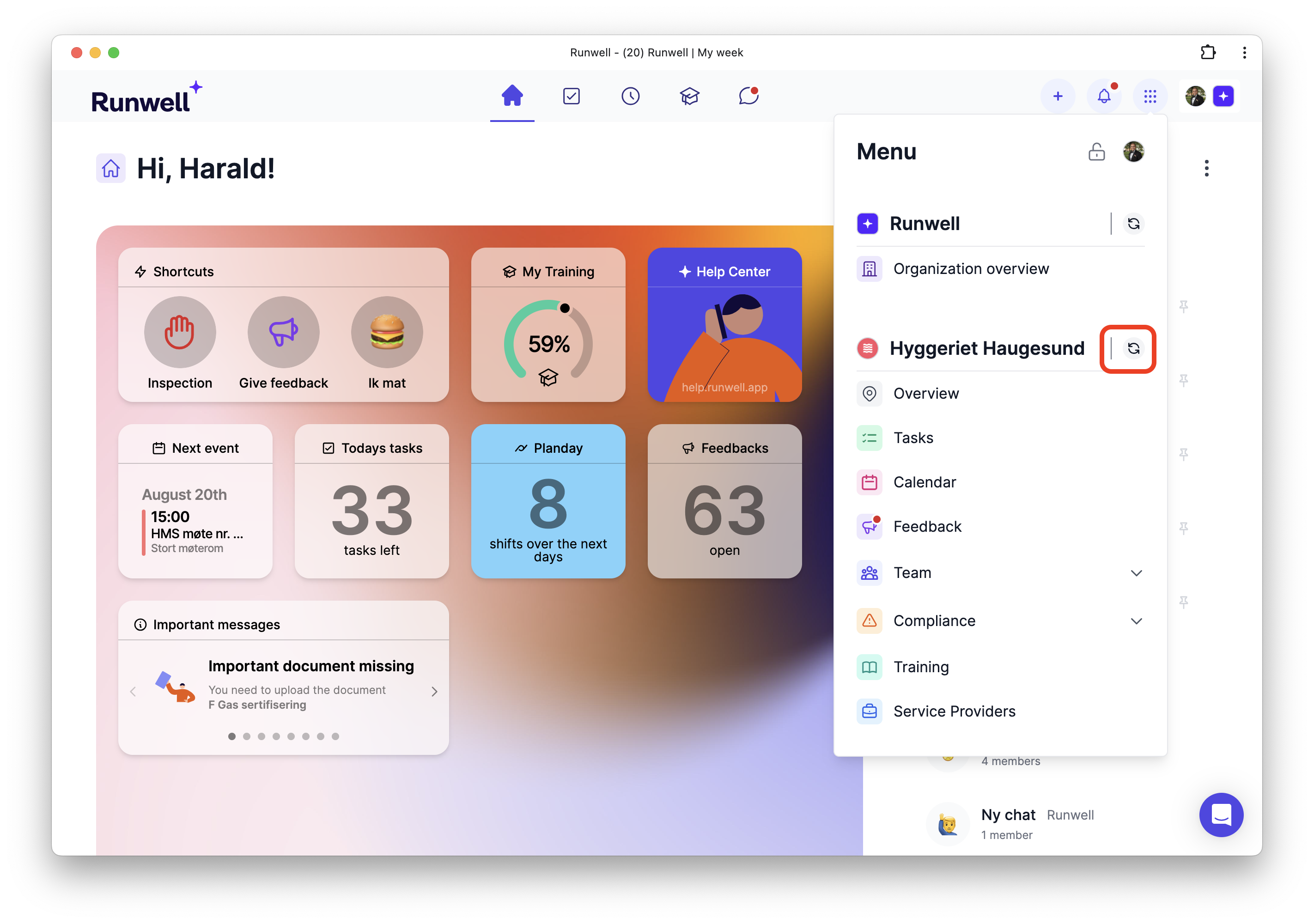
Once you have more than one location, the icon shown below will appear in your location menu.
Click it to switch between your locations.
